Author: Sofia Marquez

Global Reach: Implementing SEO for Multiple Languages and Regions

The digital marketplace knows no borders. To truly compete, your website must speak to audiences worldwide in a way they understand and trust.

This isn’t just about translation. It’s a strategic process of optimization for different languages and regions. We call this International SEO.

A full 76% of online consumers prefer to buy from sites in their native language. Even more striking, 40% will refuse to make a purchase if the information isn’t presented in their language.

Ignoring these preferences means leaving massive opportunity on the table. A proper multilingual strategy moves far beyond word-for-word conversion.

It involves deep localization. This means adapting your site’s technical framework, content, and cultural nuances for each target market.

The rewards are significant. You gain an improved user experience, which leads to lower bounce rates and more time spent on your site. You also unlock expanded keyword targeting and achieve much greater visibility in local search results.

For any business aiming to expand its global footprint, mastering this localization process is no longer optional. It’s the foundation for meaningful engagement and growth across borders.

Choosing the Right Domains and URLs

Geo-targeting starts with your domain name. Choosing the right Top-Level Domains (TLDs) is key. Your URL tells search engines where your content is for. Pick well, and you’re set for global visibility. Pick poorly, and you might confuse search results and weaken your SEO.

There are three main ways to set up a global website. Each sends different signals to Google and users. Each affects technical management and how your brand is seen.

Country Code Top-Level Domains (ccTLDs) are tied to specific countries, like .de for Germany or .co.uk for the UK. Google sees a ccTLD as a very strong signal for a country. This clear signal is a big SEO plus.

Global Top-Level Domains (gTLDs) like .com or .org can show regional targeting with subdomains or subdirectories. A subdomain is like de.example.com (for Germany). A subdirectory is example.com/de/. These setups are flexible but need clear signals to search engines.

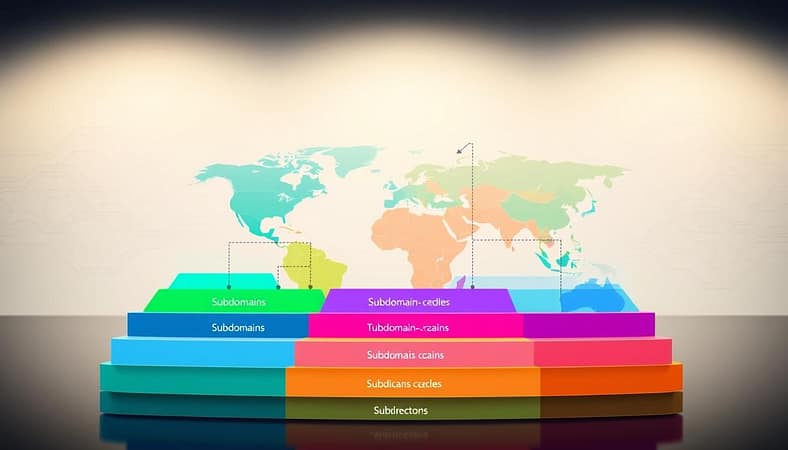
A visually engaging infographic depicting an international SEO domain structure comparison. In the foreground, showcase a layered representation of various domain types, such as country-code top-level domains (ccTLDs), subdomains, and subdirectories, each clearly distinguished by vibrant colors. In the middle, illustrate a world map highlighted with different geographical regions, connecting each domain type to their respective areas with dotted lines. In the background, incorporate abstract patterns of digital data flow, representing search engine algorithms. Use soft, diffused lighting to create a professional atmosphere, and employ a slight top-down angle to enhance the infographic's depth. The mood should be informative yet visually appealing, attracting readers to the SEO concepts. This image should be clean and devoid of any text elements.

The table below compares these three URL structures. It helps you decide based on your business needs.

Structure Type Geo-targeting Signal SEO Equity Transfer Technical Complexity Ideal For
ccTLD (e.g., example.de) Very Strong. Google’s default signal for a country. None between domains. Each site stands alone. High. Requires separate hosting, SSL, and maintenance. Businesses with strong, independent country-specific brands and resources.
gTLD with Subdomain (e.g., de.example.com) Moderate. Requires clear hreflang and other signals. Partial. Some link equity may pass to the root domain. Medium. Shared infrastructure but separate technical footprints. Large sites with very distinct regional content or technical needs.
gTLD with Subdirectory (e.g., example.com/de/) Moderate. Relies on hreflang, sitemaps, and other cues. Strong. All link equity consolidates to the main domain. Low. Single site to host, secure, and manage. Most businesses starting international expansion, seeking efficiency.

Google says use locale-specific URLs for clear geotargeting. While ccTLDs are the clearest signal, subdomains and subdirectories work too when used right with hreflang tags and Search Console targeting.

Your choice depends on your target market, resources, and brand strategy. Are you focusing on one or two countries with a big budget? A ccTLD might be the best choice. Or are you exploring multiple markets with a single team? A subdirectory structure could be more practical how to choose a website setup for international.

For those with limited technical resources, a gTLD with subdirectories is often suggested. It’s good for SEO equity transfer, simplifies analytics, and is easier to keep up. But, established brands with country-specific needs might prefer the strong presence of ccTLDs.

Remember, your domain structure is a long-term choice. Changing it later is complex and risky for SEO. Think about your goals, consider the table’s points, and pick a foundation that grows with your global plans.

Language and Regional Targeting with hreflang

Imagine a user in Spain searching in Spanish but landing on your English page for the UK. This mismatch hurts their experience and your rankings. The solution is a precise technical signal called the hreflang attribute.

hreflang acts as a translator and guide for search engines. It tells Google, “This page is in French for visitors in France,” or “This is the Spanish version for Mexico.” You use a language code, like ‘es’ for Spanish. You can add an optional region code, like ‘es-MX’ for Mexican Spanish or ‘en-GB’ for British English.

This targeting is key. It ensures users get the right content in their language. It also stops search engines from seeing your Spanish and French pages as duplicate content. Google clearly recommends using hreflang annotations for this purpose.

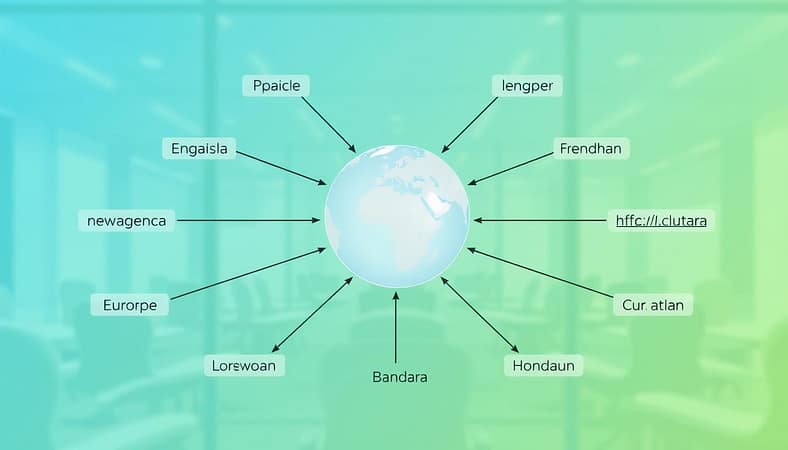
A detailed hreflang implementation diagram, visually representing multiple language and regional targeting strategies. In the foreground, a series of interconnected arrows symbolize various languages (such as English, Spanish, French, and Mandarin) leading to distinct website URLs. In the middle, a central globe highlights key regions like North America, Europe, and Asia, with lines connecting the globe to the arrows. The background features a soft gradient that transitions from blue to green, suggesting a global digital landscape. The lighting is bright and professional, simulating an office environment. The overall atmosphere is informative and dynamic, suitable for a business context, emphasizing clarity and efficiency in international SEO strategies.

You have three main ways to implement these tags. Each method sends the same signal but works best in different technical situations.

Implementation Method Ease of Use Best For Key Consideration
HTML Link Elements Moderate Most websites, easier for small page sets Tags go in the section of each page. Can increase page size.
HTTP Headers Advanced PDFs or non-HTML files Configured at the server level. Invisible in page HTML.
XML Sitemap Efficient Large sites, centralizes management Easiest to maintain at scale. Requires a valid sitemap.

The most critical rule is reciprocity. If Page A links to Page B using hreflang, Page B must link back to Page A. Missing this reciprocal link is a common error that can make the tags ineffective.

When set up correctly, hreflang creates a clear map for search engines. It directs traffic efficiently, boosts user satisfaction, and strengthens your global rankings. It’s a foundational piece of any serious international SEO strategy.

Adapting Content for Cultural Nuance

Localization is more than just translating words. It’s about building trust worldwide. It’s the bridge between global visibility and local acceptance.

True cultural adaptation goes deep into local idioms, values, and trends. For example, a sustainability campaign might hit differently in Germany than elsewhere. You need to think about local currencies, units, and images that show your audience’s life.

Start with internationalization. Design your content and website to adapt easily. Use neutral images and avoid specific idioms. This makes localization easier and cheaper.

Not all content needs the same effort. Use a tiered strategy to match content value with resources. This saves money and boosts results.

Content Tier Description & Examples Recommended Approach
Low-Visibility / Informational Internal documentation, FAQ pages, basic product specs. Machine translation is often sufficient for basic understanding.
Mid-Level / Transactional Category pages, service descriptions, blog posts. Machine Translation Post-Editing (MTPE). A human editor refines the AI output for clarity and grammar.
High-Value / Promotional Homepage copy, marketing campaigns, brand slogans, ad copy. Full human translation or transcreation. Experts rewrite the message to evoke the same emotion and intent in the new culture.

Imagine a global drink company launching a new product. A direct translation might confuse people. Transcreation creates a phrase that fits local slang, making the brand feel at home.

Investing in cultural adaptation pays off. It builds trust, lowers bounce rates, and boosts sales. When people feel understood, they’re more likely to engage and buy.

Effective localization turns your global site into a local experience. It’s the key to connecting with every market you enter.

Technical Considerations for Global Sites

Search engines need more than just hreflang tags to know where to send your pages. A strong geo-targeting plan uses clear technical signs. These signs show your site’s intended market without doubt.

Hreflang tags are key, but search engines also look at other factors. These help confirm your site’s location and who you’re trying to reach.

  • Server Location (IP Address): Hosting on a server in your target country is a strong sign. It makes pages load faster for locals and shows regional relevance.
  • Local Contact Information: Showing a local address and phone number with the right country code is a trust signal. It proves you’re really there.
  • Local Language & Currency: Use the local language for all content, including meta descriptions and legal text. Prices in the local currency are also important for e-commerce sites.
  • Local Backlink Profile: Links from reputable sites in your target country boost your local authority. They show you’re relevant to that market.

A big warning: Google says don’t use IP analysis or automatic redirects based on language or location. This can stop search engines from crawling all your site versions. It also makes it hard for users to find the version they want.

Managing Duplicate Content with Canonical Tags

When you have the same content in different languages or regions, you face duplicate content issues. The rel="canonical" tag and the hreflang tag help manage this.

Use canonical tags to point to the preferred version of a page within the same language. For example, if you have U.S. and UK English pages, you might canonicalize one to the other. Hreflang is used for pages in different languages, telling search engines they’re the same content for different audiences.

Understanding Domain Strategy (gTLDs vs. ccTLDs)

Your domain extension choice is a big signal. Country-code Top-Level Domains (ccTLDs) like .de or .jp are geo-targeted to their countries. Generic Top-Level Domains (gTLDs) like .com or .org are seen as generic by Google.

You can geo-target a gTLD subdirectory or subdomain (like example.com/fr/ or fr.example.com) in Google Search Console. This offers flexibility while signaling your target region. For more on domain strategy and international SEO, check out this guide to international SEO.

By carefully implementing these technical considerations, you create a clear and trustworthy signal profile. This tells search engines exactly who your content is for, boosting your visibility in your target markets.

Tools for Monitoring International SEO

Your global SEO strategy needs constant measurement. Making technical and content changes is just the start. You must track performance in every target market. A strong toolkit for International SEO is essential.

Platforms like Semrush and Ahrefs are key. They track keyword rankings on Google domains like google.co.uk or google.de. Remember, local search engines are big in some areas. Tools for Baidu in China or Yandex in Russia are a must for a full view.

Keyword research never stops in global markets. Use Google Keyword Planner for search volume data by location. Google Trends shows seasonal interest shifts by country. These insights help you adjust your content calendar.

Do regular technical audits on each language version of your site. Check for crawl errors, site speed, and hreflang implementation. Also, watch your local backlink profile to understand regional authority signals.

Analytics segmentation gives the last insight. Use Google Analytics 4 to filter data by country and language. See which regions drive the most conversions or engagement. This data shows the return on investment for your International SEO work.

The right tools turn guesswork into a precise strategy. Regular monitoring leads to data-driven improvements. You can optimize budgets and focus efforts where they matter most. A disciplined approach to measurement is what sets successful global campaigns apart.

Enhancing Local SEO: Strategies for Local Search Dominance

For any business with a storefront or service area, being found online by nearby customers is key. Local search engine optimization makes this happen. It boosts your online visibility in a specific area.

The main goal is simple: connect with customers when they search for what you offer. You want to show up when someone searches for a “plumber near me” or “best coffee shop downtown.”

Google uses three main factors to decide where to place businesses: Relevance, Distance, and Prominence. Getting these right can get you in the Local Pack—the map results with business profiles—or in the standard organic listings.

The benefits are big. The first result on Google gets an average click-through rate of 27.6%. Being at the top can drive more foot traffic and calls.

Building local citations—consistent listings of your business name, address, and phone number across the web—is a key step. It shows Google your business is prominent and relevant. For more on these tactics, check out our guide on optimizing local SEO.

Optimizing Google My Business

Effective GMB optimization turns a simple listing into a powerful tool for customer interaction. It’s your direct link to people searching for you locally. This process needs a strategic and detailed approach.

Start by claiming and verifying your Google Business Profile. This proves you’re the real owner. Make sure your Name, Address, and Phone number (NAP) match everywhere online.

Choosing the right categories is key. Pick your primary and secondary categories carefully. For example, a cafe should choose “Cafe” as its primary category, not just “Restaurant.”

Attributes help target specific audiences. Use tags like ‘women-led,’ ‘pet-friendly,’ or ‘free Wi-Fi’ to attract certain groups. These details make your listing stand out.

Your business description should be clear and engaging. Write a compelling summary of what you offer and who you serve. Use natural language that includes your main services.

Sharing content regularly keeps your profile active. Google rewards fresh content with better visibility. Different post types serve different goals.

Post Type Best For Key Elements Expected Impact
Offer Post Promotions, discounts, sales Clear title, compelling offer, expiration date, call-to-action button Drive immediate clicks and store visits
Update Post News, announcements, new hires Engaging headline, relevant details, high-quality image Build brand narrative and community
Event Post Workshops, grand openings, sales events Event name, date/time, description, ticket link if applicable Increase awareness and attendance for local events
Product Post Highlighting specific items or services Product name, price, description, clear photo Showcase inventory and drive consideration

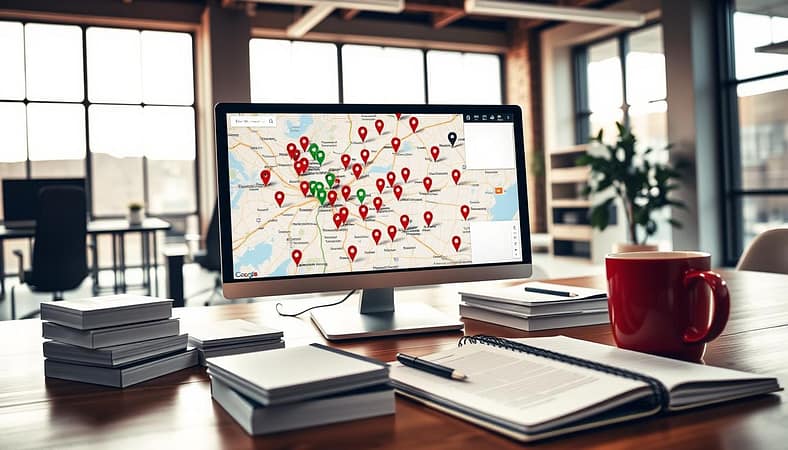
A visually engaging guide on optimizing Google My Business for local SEO. In the foreground, a sleek computer monitor displays a vibrant dashboard filled with colorful graphs and analytics related to local search performance. In the middle, an open notebook with carefully drawn diagrams and bullet points showcases optimization strategies, surrounded by business tools like a smartphone with location services on and a calculator. In the background, a bright, well-organized office space with potted plants and motivational posters creates a productive atmosphere. Soft, natural lighting filters through a window to enhance the clarity of the scene, while a shallow depth of field focuses on the key elements, promoting a sense of professionalism and determination.

Visual content builds trust. Upload high-quality photos and videos of your products, services, team, and interior. A good gallery makes your business feel real and inviting.

Reviews are key social proof. Encourage happy customers to leave feedback. More importantly, respond to every review, both positive and negative. This shows you value customer input and manage your reputation.

Keep an eye on the Questions & Answers section. Add common FAQs and quickly answer user-submitted questions. This prevents misinformation and helps customers make decisions.

For complete GMB optimization, list your key products and services on the profile. Enable messaging for direct communication with customers. Always update your business hours, including holidays.

Use Google Business Profile Insights to track how customers find your listing and what actions they take. This data helps improve your strategy and investment.

Your Google Business Profile is more than a listing. It’s the center of your local online presence. A well-optimized profile boosts your visibility, relevance, and drives customer actions.

Building Local Citations and Backlinks

A good website and a well-optimized Google My Business profile are key. But, your business’s real power comes from a network of consistent citations and backlinks. These digital references show search engines your business is real, trusted, and active in the community.

Your NAP—Name, Address, and Phone number—is the foundation. NAP consistency is non-negotiable. Even small differences, like “St.” vs. “Street,” can confuse search engines and hurt customer trust. Start by checking and standardizing your NAP everywhere online.

It’s important to know the difference between local citations and backlinks. A local citation is any online mention of your NAP, found on directories, association sites, or local news. A local backlink is a hyperlink from another website to yours. Both are important, but they serve different roles in building your local SEO profile.

A detailed network diagram illustrating local citations and backlinks, showcasing interconnected nodes representing various local businesses, directories, and websites. In the foreground, distinct icons symbolize local SEO elements like location pins, backlinks, and directory listings. The middle layer displays arrows connecting these icons in a dynamic manner, representing the flow of information and authority. The background features a subtle grid pattern for a tech-savvy look, with a cool blue and green color palette to evoke professionalism. Soft lighting highlights the nodes, creating a sense of depth and clarity. The overall atmosphere is informative and engaging, ideal for a visual representation of digital marketing strategies in local SEO.

Start building local citations by submitting to core data aggregators like Acxiom, Infogroup, and Localeze. These services share your business data with many other platforms. Then, focus on reputable local directories.

  • Industry-specific directories (e.g., a plumber on HomeAdvisor).
  • Your local Chamber of Commerce website.
  • Regional business journals and community news sites.

Earning local backlinks needs a strategic approach. It’s about building relationships and creating value. You can get these links by sponsoring a community team, being featured in local news, or working with a complementary business. A link from a trusted local site is a primary signal of prominence to Google.

Component Primary Purpose Key Platforms SEO Impact
Local Citations Verify business identity & location (NAP consistency). Data Aggregators, Yelp, YellowPages, Industry Directories. Builds foundation for local pack eligibility and trust.
Local Backlinks Signal authority & community relevance. Local News Sites, Community Blogs, Partner Business Sites. Directly boosts local search rankings and domain authority.

Citations tell Google *who* and *where* you are. Backlinks tell Google *why* you matter. A business with perfect NAP consistency and quality backlinks from local sources is seen as a community leader. For more details, check out our guide on local SEO citations. Together, they show your business’s local prominence.

Encouraging and Managing Reviews

Online reviews are like word-of-mouth, but louder. They help build trust and attract customers. Search engines see them as a key factor in ranking local businesses.

88% of people look at reviews before visiting a local business. This means your reviews are often the first thing people see. It’s a chance to make a great first impression.

To get more positive reviews, you need a smart plan. Make it easy and rewarding for happy customers to share their thoughts. Don’t offer money or gifts for good reviews. Instead, try these:

  • Ask at the Right Moment: Ask for a review right after a good experience.
  • Simplify the Process: Send a link to your review page via email or text.
  • Train Your Team: Teach staff to politely ask for feedback.
  • Use On-Site Signage: A small sign or note can remind people to review.

It’s just as important to manage reviews as it is to get them. Always respond to every review, good or bad. Say thank you for positive feedback to encourage more. For negative reviews, be professional and offer to fix the issue privately.

When dealing with criticism, stay calm and listen. Acknowledge the issue and offer to solve it offline. This shows you value feedback and are willing to improve.

This whole plan relies on NAP consistency. If your business info is wrong online, people might review the wrong place. Accurate listings help your reputation and SEO.

Good review management creates a positive cycle. It builds trust, attracts more customers, and boosts your online reputation. Your reputation is now your most valuable marketing tool.

Tracking Local Search Performance

Data turns local SEO into a science, starting with tracking your search performance. Successful campaigns rely on evidence, not guesses. By measuring the right metrics, you can see what works for your local audience.

First, define your Key Performance Indicators (KPIs). For local search, these metrics go beyond website visits. They show real customer intent and engagement.

Your Google Business Profile Insights dashboard is key for this data. Here, you see how customers found your listing. Look at the “Customer actions” section for calls, website visits, and directions requests. A rise in direction requests shows strong local intent.

Analyzing search query trends in Insights is vital for GMB optimization. A sudden increase in “emergency plumbing service” searches means it’s time to update your services. Also, track which photos get the most views to see what customers want to see.

But don’t just look at your Business Profile. Monitor your ranking for local keywords like “best coffee shop near [City].” Use rank tracking tools and Google Analytics to analyze traffic to location-specific pages. Look at time on page and conversion rates to understand engagement.

Regularly reviewing this data helps you move from guesswork to strategy. You’ll see which posts get the most clicks, which services are in demand, and where you need to improve. This guides your budget and effort. For a simpler approach, consider local SEO tools for beginners to manage this data.

Tracking is more than reporting; it’s about learning and adapting. The insights you gather help refine your GMB optimization strategy. This ensures your business stays relevant and visible to your local community.

Leveraging Local Events for SEO

Local events are a great way to boost your SEO. By sponsoring a festival or hosting a workshop, you show your business cares about the community. This real-world effort can help your online presence grow.

Make sure to share your event online. Post about it on your Google Business Profile and write a blog article. Share photos and videos on Facebook and Instagram. This content attracts people looking for local events.

Being active in your community helps build trust in your brand. It can lead to mentions on event websites and local news. Each mention helps your business stand out locally.

Always keep your business details the same on all event materials. This means your name, address, and phone number should match everywhere. This consistency is key for search engines to trust your local presence.

UX for Traffic Growth: Simple Tweaks for Big Impacts

Forget the jargon. Think of it as a digital first impression, a handshake, and a trust fall. User Experience is every interaction, every sigh of frustration, and every moment of delight with a product or service.

It’s the overall feel. It’s not just about a pretty button. It’s the web’s fundamental psychology. Is it useful? Is it easy? Does it perform?

This mix of design, psychology, and usability decides if someone will stick around or leave. A bad experience can end a relationship before it starts. Mastering this is key to growth.

When you focus on a smooth journey, you’re not just decorating a page. You’re building a connection. It’s the smart, foundational work behind every successful digital strategy.

FAQ

Q: What is a pre buy car inspection?

A: A pre buy car inspection is a thorough examination of a vehicle’s condition before purchasing it. It helps identify any hidden issues or mechanical problems that may not be apparent during a test drive or visual inspection.

Q: Why should I get a pre buy car inspection in Grand Rapids?

A: Getting a pre buy car inspection in Grand Rapids is essential to ensure you are making a wise investment. It helps uncover any underlying issues that may require costly repairs in the future, allowing you to negotiate a fair price or even decide against the purchase altogether.

Q: What does a pre buy car inspection include?

A: A pre buy car inspection typically includes a detailed examination of the vehicle’s exterior, interior, engine, transmission, brakes, suspension, electrical systems, and more. It may also involve a test drive to assess the vehicle’s performance and handling.

Q: How long does a pre buy car inspection take?

A: The duration of a pre buy car inspection can vary depending on the complexity of the vehicle and the thoroughness of the inspection. On average, it can take anywhere from 1 to 3 hours to complete a thorough inspection.

Q: Can I be present during the pre buy car inspection?

A: Yes, it is highly recommended to be present during the pre buy car inspection. This allows you to ask questions, gain a better understanding of the vehicle’s condition, and address any concerns or concerns you may have.

Q: How much does a pre buy car inspection cost?

A: The cost of a pre buy car inspection can vary depending on factors such as the type of vehicle, the complexity of the inspection, and the location. On average, it can range from $75 to $200. It is best to contact a reputable inspection company in Grand Rapids for a more accurate quote.

Q: Can I get a pre buy car inspection for other types of vehicles?

A: Yes, pre buy car inspections are not limited to cars. They can be conducted for motorcycles, RVs, boats, and even heavy equipment. It is important to have a professional inspection done regardless of the type of vehicle you are considering purchasing.

Q: How do I choose a reputable pre buy car inspection company in Grand Rapids?

A: When choosing a reputable pre buy car inspection company in Grand Rapids, it is important to consider factors such as experience, qualifications, and customer reviews. Look for a company that has a proven track record of providing accurate and reliable inspections.

Q: What are the benefits of a pre buy car inspection?

A: The benefits of a pre buy car inspection include identifying any hidden issues or mechanical problems, avoiding costly repairs in the future, negotiating a fair price based on the vehicle’s condition, and making an informed decision before purchasing a vehicle.

Beginner-Friendly Changes

Most users aren’t trying to figure out your website; they just want to use it. The gap between what they want and what they get is where user experience issues arise. Fixing this doesn’t mean starting from scratch. Often, a few key tweaks can make a big difference.

Think of it as making your website better in smart ways. We’re moving from big ideas to practical steps. These are changes you can make today.

A modern workspace scene depicting a team of diverse professionals gathered around a sleek table, brainstorming beginner-friendly user experience (UX) improvements. In the foreground, a whiteboard filled with colorful sticky notes and flowcharts illustrates simple UI design tweaks. In the middle ground, a laptop displays an intuitive app interface with clear buttons and easy navigation, while team members in smart casual attire enthusiastically discuss ideas. The background features large windows allowing warm, natural light to flood the room, enhancing the collaborative atmosphere. The lens captures a slight upward angle, creating a sense of openness and inspiration in the creative space, with a focus on engagement and teamwork. The overall mood is positive and innovative, encouraging growth and simplicity in UX design.

Small changes can have big effects. View these tweaks as investments that improve user happiness:

  • From Messy to Managed: Replace scattered text links with clear content boxes. This makes your site easier to navigate and more engaging. It’s like the difference between a clean desk and a messy one.
  • The Clarity Tax: Make your navigation labels simple. “Products,” “Services,” “Solutions” might seem the same to a stressed visitor. Simplifying these labels makes your site easier to use.
  • Accessibility as a Baseline: Improve color contrast to meet WCAG guidelines. This isn’t just for everyone’s sake; it’s about reaching more people. It ensures your site is accessible to all, not just some.
  • The CTA That Actually Calls to Action: Use specific text on your buttons instead of vague phrases. “Download the SEO Checklist” is more appealing than “Learn More.” This can increase click-through rates by over 30%.
  • Persistence Pays: Add a sticky call-to-action button. This makes your offer easy to find and encourages action. A study found this can boost conversions by 27%.

Why do these small changes work so well? They respect users’ time and goals. A vague button or complex menu can be frustrating. Poor contrast can be tiring. Each issue adds up and can make users leave your site.

Looking at your page’s layout can show these problems. What’s the first thing users see? Is it easy to find what they need? For more on this, this introduction to user experience explains it well.

The goal is to support your users, not fight them. These changes make your site more welcoming. They improve your user experience and make your site more effective.

Navigation and Layout

Your menu is like a guide through digital mountains. Visitors look at it for just a few seconds. If it’s unclear, they feel lost.

Good navigation is about making things easy. It should feel automatic, like muscle memory. If it doesn’t, users get frustrated and leave.

A modern, intuitive website navigation layout, prominently displayed in a clean, professional style. In the foreground, a sleek desktop screen showcases the website, illustrating a top navigation bar with clearly labeled menu options and a well-structured drop-down. The middle section features a responsive grid of content blocks with engaging icons and clear headlines. In the background, a minimalist office setting enhances the sense of professionalism, with soft natural light filtering through large windows. A person in smart business attire is interacting with the website, their expression focused and engaged. The overall atmosphere is collaborative and productive, emphasizing usability and ease of navigation, captured from a slight angle to provide depth and perspective.

To create a clear path, start with card sorting and tree testing. These User Experience (UX) methods show how people organize information. They help you understand what users really want.

Tools like UXtweak make this easy for beginners. You don’t need to be a psychology expert. Just be curious about how people think. This work helps your site grow by keeping users engaged.

White space is not empty. It’s like breathing room. It helps your site feel calm and focused. It guides users’ eyes to important parts.

Good white space makes your site look professional. For more tips, check out this guide to navigation design.

Mobile is a big challenge. Over 60% of web traffic comes from phones. But many sites ignore mobile users.

Mobile-friendly filters can help a lot. They can double mobile sales. The key is to make it easy for users to find what they need.

A clothing site added filters on mobile and saw a huge increase in sales. This shows how important it is to make mobile shopping easy.

Your navigation and layout are key to a good user experience. By making them intuitive, you’re not just improving UX. You’re setting the stage for growth.

Fast Wins for Retention

Your website’s loading bar is like a countdown. Every millisecond lost is money you could have made. A 100-millisecond delay after a 3-second load can cut conversions by 7%. In the digital world, speed is key to trust.

So, where do you start to boost your site? Let’s get to the point. The table below shows how to improve your site fast. It’s your guide to conversion optimization.

Fast Win The Psychological Lever The Data-Driven Impact The Implementation Nudge
Crush Page Load Times Reduces cognitive friction and implicit cost. A slow site feels expensive. A 100ms delay after 3s can decrease conversions by 7%. Audit with Google PageSpeed Insights. Compress every image. Leverage browser caching.
Simplify Monster Forms The “chunking” effect. Our brains process multi-step tasks as less daunting. Breaking long forms into steps can lift conversions by over 30%. Turn a 20-field form into 4 steps of 5 fields. Use a progress bar. Never ask for the same info twice.
Display Trust Signals Prominently Social proof and authority bias. Logos act as silent testimonials. Placing badges/logos near CTAs builds instant credibility, directly impacting click-through. Add SSL badges, “Featured In” media logos, and security seals right beside your “Buy Now” or “Sign Up” button.
Clarify Checkout Progress Reduces anxiety of the unknown. Transparency breeds confidence. Specific buttons (e.g., “Review Order”) increased conversions by 54% vs. vague “Continue.” Label every step: “Shipping” -> “Payment” -> “Review.” Use actionable button text that previews the next step.

Changing a button from “Continue” to “Review Order” is a smart move. It answers the user’s fear: “What am I agreeing to? What’s the final total?” This change makes checkout easier, like a hot knife through butter.

Trust is built with a few key logos. They’re not just decorations; they’re shortcuts. In a world of choices, they say, “Others have vetted this. You’re safe here.”

Urgency is also key. A line like “Order in the next 2 hours for delivery by Friday” is helpful, not pushy. It’s a service, not just a way to boost your numbers. It turns “maybe later” into “heck yes, now.”

These aren’t just ideas. They’re proven ways to improve your site. Use them, and you’ll see more people commit to your offers.

User Testing for Beginners

Analytics tell you what users did; user testing shows you why they did it. It’s like the difference between reading a crime report and watching the security footage. You get the motive, the hesitation, and the moment of pure confusion. Skipping this step is like a director refusing to watch a rough cut—it’s professional hubris.

You are not your user. Your clever navigation label is their cryptic puzzle. Your intuitive button is their invisible trapdoor. User testing is the empirical antidote to ego. It replaces “I think” with “I observed.”

Forget the jargon of moderated longitudinal studies. Beginner-friendly platforms like Userlytics and UXtweak turn testing into a straightforward process. You recruit real people who match your audience, give them tasks, and watch. It’s that simple. The magic isn’t in the tool; it’s in the raw, unfiltered human reaction.

There are two primary lenses to use. First, for the “why,” use live interviews or tools like UXtweak’s Freeform Interviews. This is qualitative gold. You hear the reasoning, the assumptions, the off-hand comments that reveal deeper mental models.

Second, for the “how,” use task-based usability testing. Ask a user to find a product or complete a sign-up. Watch where their cursor hovers. Listen for the muttered “Where is it?” This method exposes functional flaws analytics can’t see.

The most powerful move? Testing before and after a change. This establishes a baseline. You can’t claim victory for a new layout if you don’t know how badly the old one performed. This turns design into a science, measuring impact instead of guessing.

You don’t need a big budget to start. Informal “guerrilla” testing with colleagues works. Try a card sorting exercise: write your menu labels on index cards and ask someone to group them logically. The results will likely humble you and illuminate your path forward.

Platforms like UserTesting have democratized this process, making it accessible for teams of any size. The goal is to build a habit of seeking evidence, not just opinions.

Method Best For Answering Beginner-Friendly Tactic Insight Type
Live User Interviews The “Why” behind behavior Use a script with open-ended questions. Record the session. Qualitative, Motivational
Task-Based Usability Test The “How” of interaction Give 3 key tasks (e.g., “Find the pricing page”). Observe without helping. Behavioral, Functional
Card Sorting Information architecture & labels Use physical cards or a free online tool. Ask users to categorize and name groups. Structural, Linguistic
5-Second Test First impression & clarity Show a page for 5 seconds. Ask: “What is this site for?” and “What do you remember?” Perceptual, Clarity

Think of each test as a reconnaissance mission. You’re sending out scouts to map the treacherous terrain of your own website. They return with stories of dead ends, confusing signposts, and hidden treasures. This intelligence is the foundation of genuine User Experience (UX) & Growth.

Start small. Test one page. Watch just three sessions. The furrowed brows and hesitant clicks you’ll witness are more valuable than a month of staring at bounce rate graphs. It transforms abstract data into human stories, and that’s where real improvement begins.

UX Tools & Resources

Every craftsman needs their toolbox. For UX practitioners, that toolbox is digital and diverse. It’s all about growth. You need the right tool for the job.

Google PageSpeed Insights is like a radiologist for performance checks. UXtweak offers tools for emotional clarity, like a therapist. These tools help you understand your users better.

Contentsquare is an all-in-one platform for understanding user behavior. Figma and Adobe XD help turn designs into interactive prototypes. Maze tests these prototypes with real users, giving you valuable insights.

It’s not just about the software. It’s about making user experience lead to growth. A good SEO plan shows how performance and clear design drive traffic. The right tools help you see how to fix user problems and succeed.

Begin with a free audit from Chrome Lighthouse. Move to professional services like Tenet for bigger projects. Your goals set your tools. Create a website that performs, converts, and grows.